
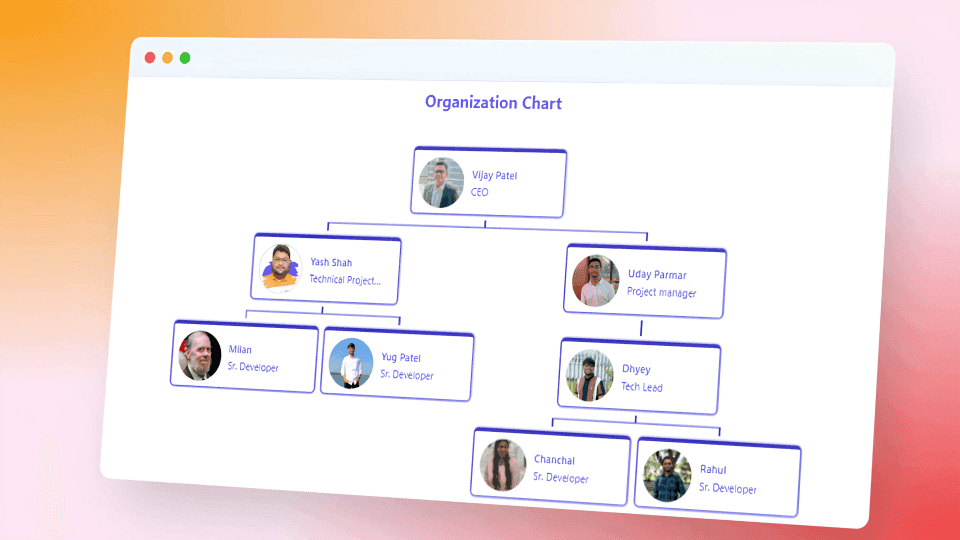
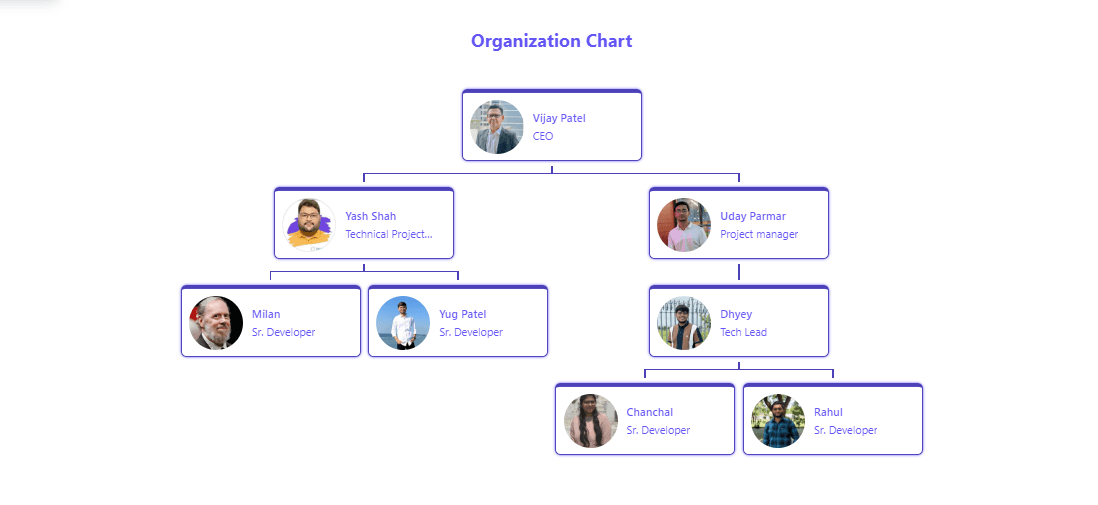
Organization Chart
An organizational chart shows the internal structure of an organization or company. Employees and positions are represented by boxes or shapes, sometimes including photos, contact info, email and page links, icons, and illustrations. Straight or elbowed lines link the levels together.






Powerful Features
Everything you need to build a modern, engaging digital workplace

Dynamic Hierarchy View
Interactive org charts with collapsible nodes, zoom controls, and department-level filtering to navigate any company size with ease.

Employee Profiles
Rich employee cards with photos, contact details, skills, and reporting lines integrated with SharePoint User Profile seamlessly.

Responsive Design
Access org charts from any device—desktop, tablet, or mobile—with fully responsive layouts and native mobile app support.

Smart Search & Filter
Instantly locate any employee or team with intelligent search, role-based filters, and department drill-down capabilities.

Enterprise Security
Security with role-based access control, data encryption, compliance certifications, and advanced threat protection.

Custom Workflows
Automate org updates via Power Automate, trigger notifications on role changes, and sync with HR systems automatically.
Product Details
Comprehensive specifications and configuration options
| Specification | Details |
|---|---|
| Platform | SharePoint Online |
| Deployment Model | Cloud |
| User Capacity | Unlimited Users |
| Storage | Based on SharePoint License (1 TB + Available) |
| Authentication | Azure AD |